Policy:
Missed Services: https://aveanna.ellucid.com/documents/view/514/active/
Purpose:
The physician/NPP directs the plan of care for Intermittent Skilled Visit. The missed visit notifies the physician/NPP of the change in the plan of care. This process identifies how to notify the physician/NPP of when the scheduled visits could not be completed during the work week. Only complete a missed visit after all rescheduling has been attempted.
Note: This process will show how to use the Missed Visit charting in 3 different ways.
- How to enter in a missed visit for an attempted visit and client was not home.
- It will determine if the visit needs to be rescheduled.
- If it truly is a missed visit that will need provider notification.
- How to enter in a missed visit that was attempted and a new visit will need to be added to the schedule so the visit can be completed during the Home Health work week to meet ordered frequency.
- How to enter in a missed visit when no home visit was attempted.
- Known missed visit due to specific reason.
At the end of each week all visits assigned to a clinician will need to be completed as evidenced by all visits completed or missed visits completed. Scheduling app may need to be adjusted to complete missed visits that were not completed due to rescheduling
Regulation: §484.60(a)(1)
CHAP: APC.9.I.M3
Measurement:
- Overdue visits in Point Care will be 0 each week
- Point Care app will have all visits completed each week by Saturday
Examples:
- Intermittent services (SN, Therapist) 2w9; we only provide 1 visit on week 3. We would need a missed visit completed to identify the reason for the 2nd visit not being provided.
- Ranges are not frequent but if the highest level of the range has not been completed a missed visit will need to be completed to explain why this highest frequency was not met.
Missed Visits are ONLY entered after all attempts are made to reschedule.
Process:
Intermittent Skilled Visit:
- Clinicians complete their own missed visits.
- In order to Miss a visit the visit must first be accepted- this will then give you the option to Miss the appt.
- DO NOT DECLINE a visit that needs to be missed.
- In the Point Care select appt. When the clinician has determined that a missed visit is needed when unable to meet the ordered frequency for that week.
NOTE: if a visit was attempted (clinician was at patient's home) and visit will need to be rescheduled- clinician can reschedule the visit to a different day in the home health work week.- The Clinician will then enter in a Non- Visit activity called VISIT ATTEMPTED CLIENT NOT HOME (this will allow you to be paid for show up pay)
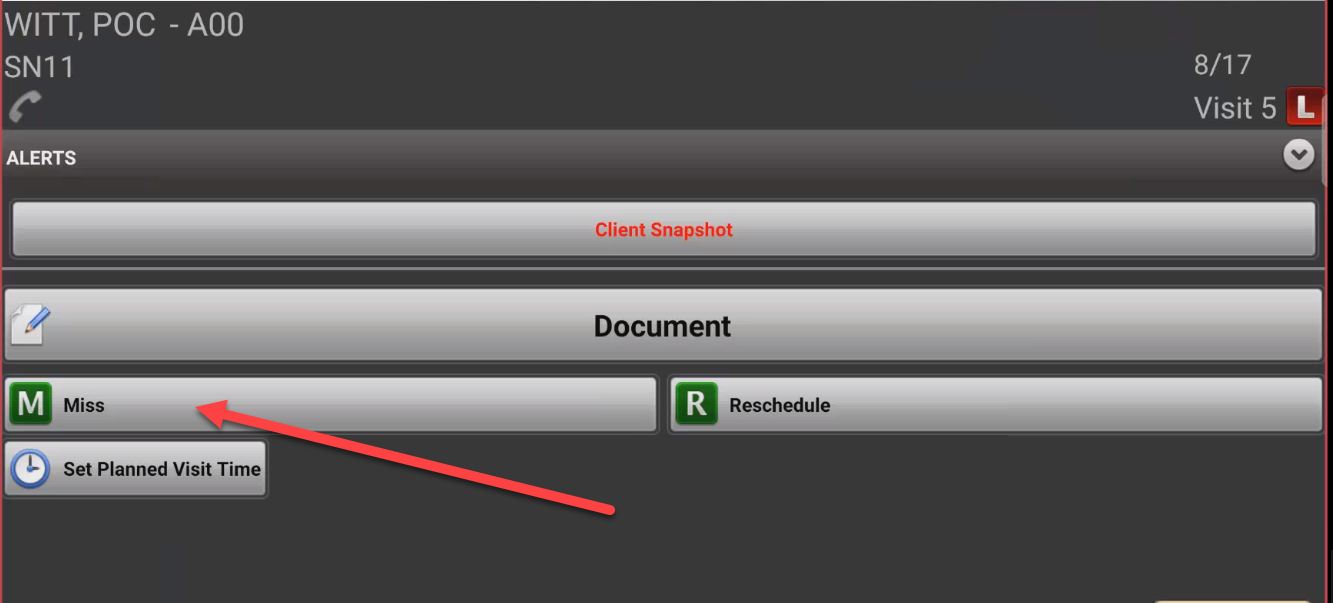
- If the visit is truly missed and cannot be rescheduled, select option Miss- NOTE there may be a pop up about LUPA thresholds (click Yes to continue)
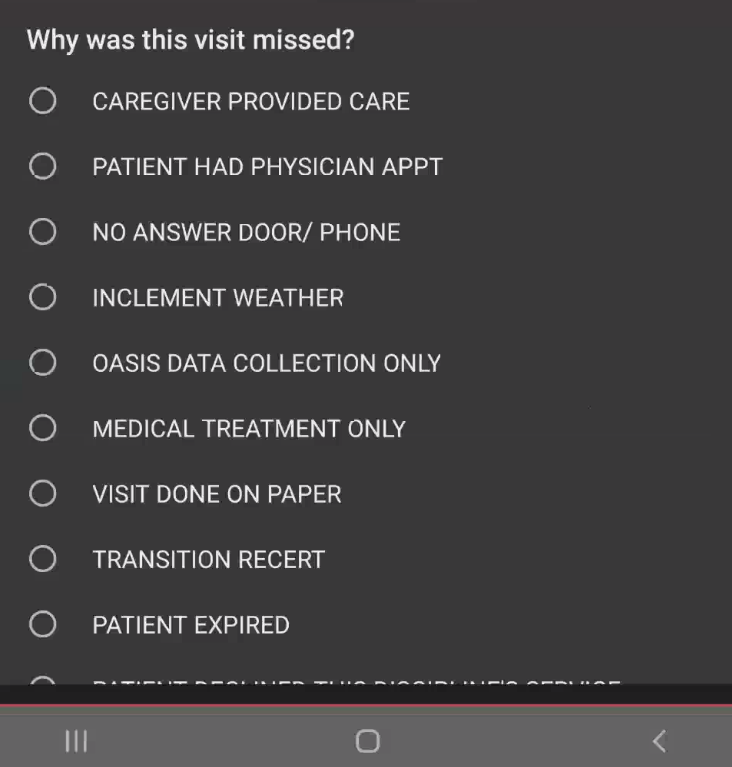
- Choose the reason that the visit was missed- scroll down to see all available options
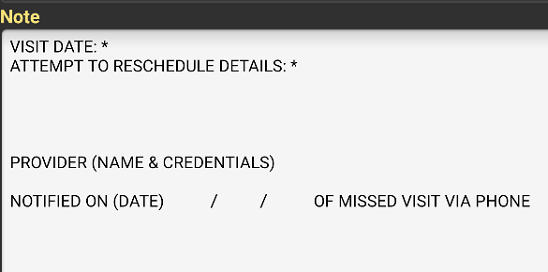
- Depending on the selection another screen will appear that will need to have the * removed and information in regards to the miss visit entered into office.
- The date the visit was missed
- Attempted to reschedule details examples"
- Arrived at patients home and they were not present, called emergency contact and they said client has appt- rescheduled for visit the next day
- Patient had appt and wound care provided- no need for skilled visit.
- Identify the certifying providers name.
- Enter in the notified date when a phone call was made to make provider aware of the missed visit